Great notes. No bot in the room.
Offline Meeting Notes listens on your laptop and writes it up after the call. Nothing joins. Nothing leaves.
Free account, nothing to pay. Skool members log in with their Skool email. Skool member login
 Granola
 Otter
 Fireflies
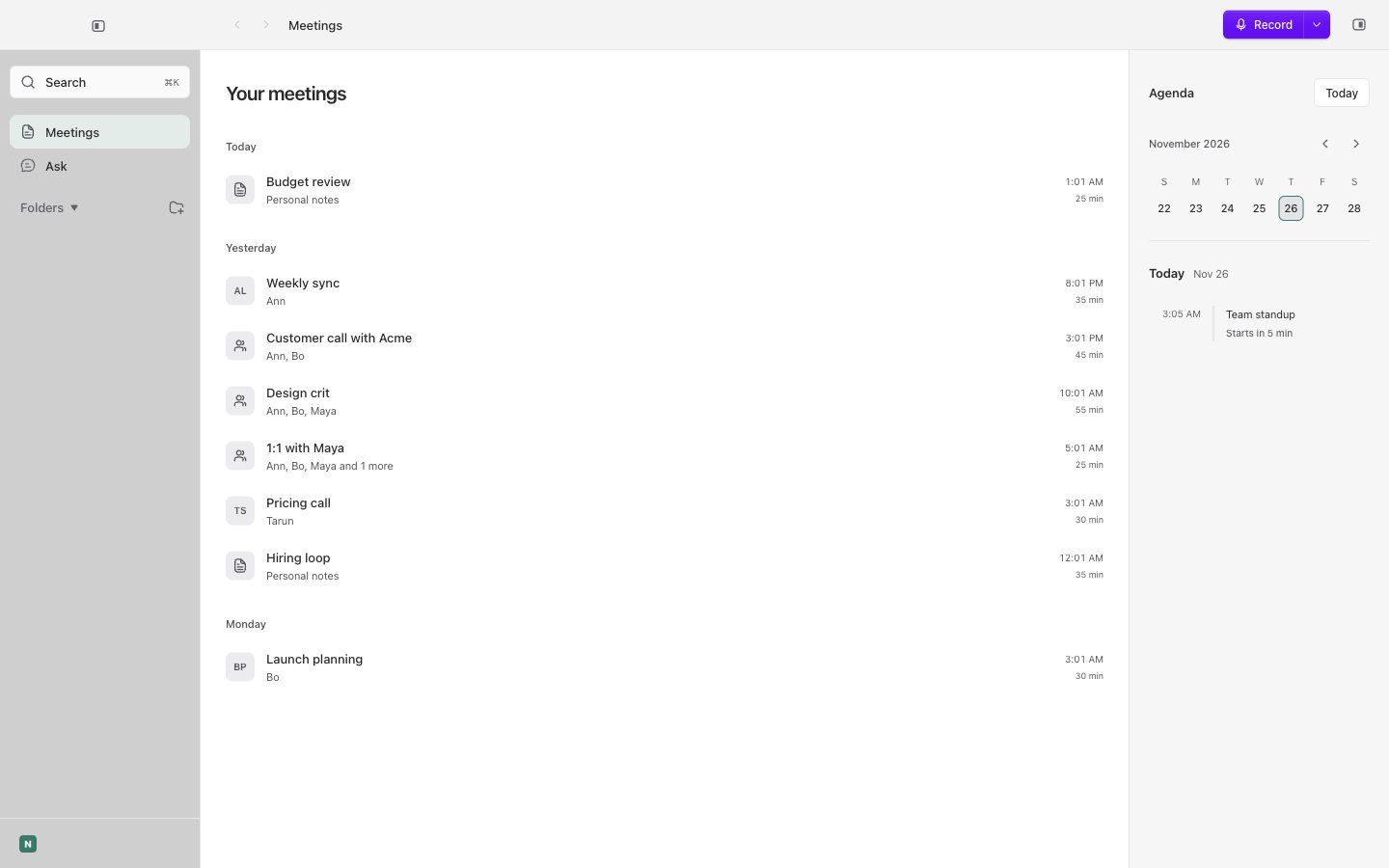
A real screen of Offline Meeting Notes. Northwind Labs is a sample brand. The meetings and people are made up.
Works with
- Zoom
- Google Meet
- Microsoft Teams
- Any call with sound on your computer
- Your calendar
- Markdown export
- Local MCP (optional)
How it works
Up and running in three steps
1Sign up free and download the kit.
 2
Build the installer with your name on it. Claude Code can do it for you.
 3
Install it on a Mac or Windows laptop and start taking notes.
A closer look
Everything in one place
Every call, sorted by day
Each meeting with who was in it and how long it ran, next to today's agenda from your calendar. Press Record when the call starts.
- Today, yesterday, earlier
- Agenda beside the list
- One button to record
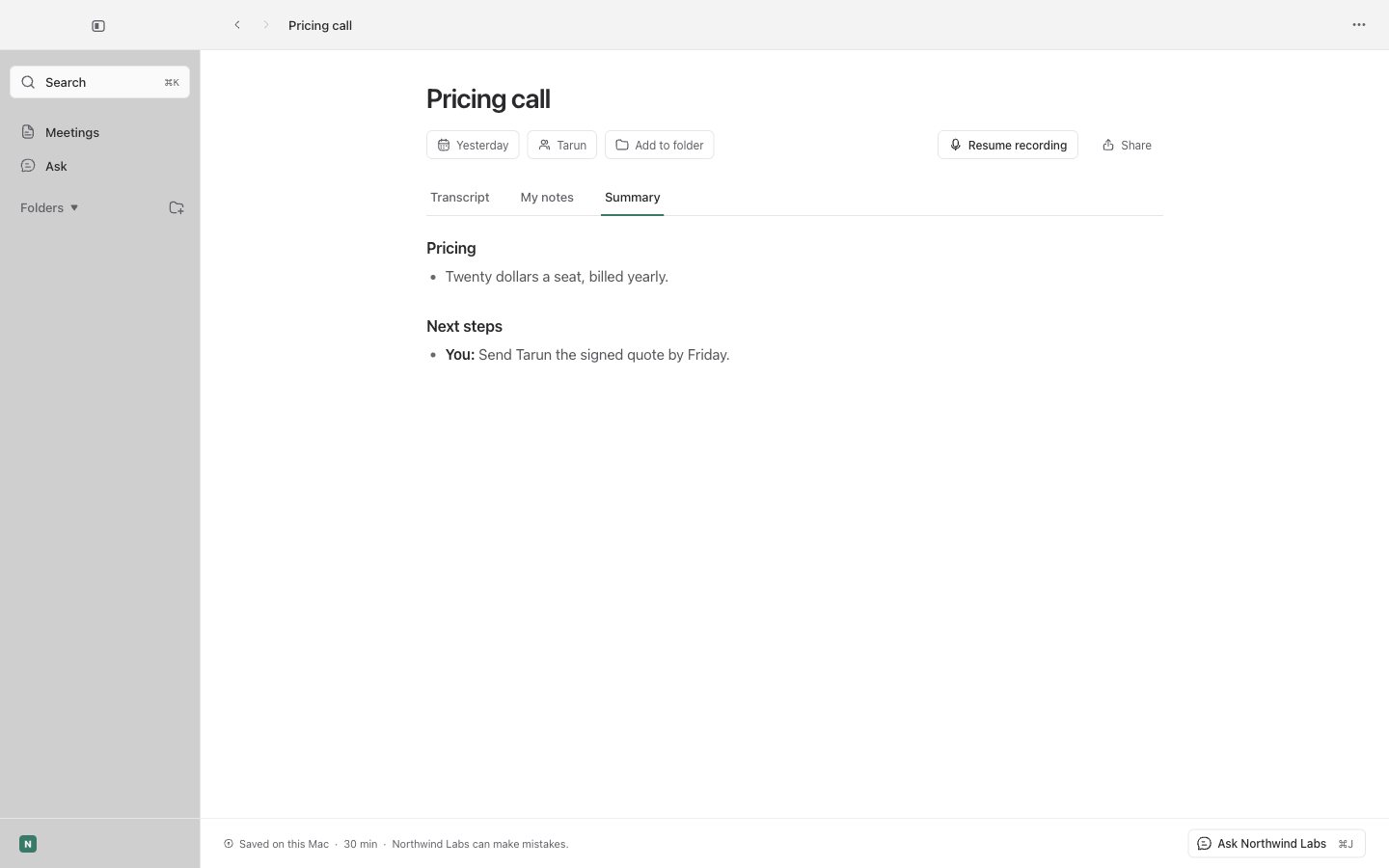
The write-up, ready when you hang up
Offline Meeting Notes writes the summary from the transcript and any notes you typed: what was decided and what happens next, with who does it.
- Decisions and next steps
- Your own notes added in
- Copy or save as Markdown
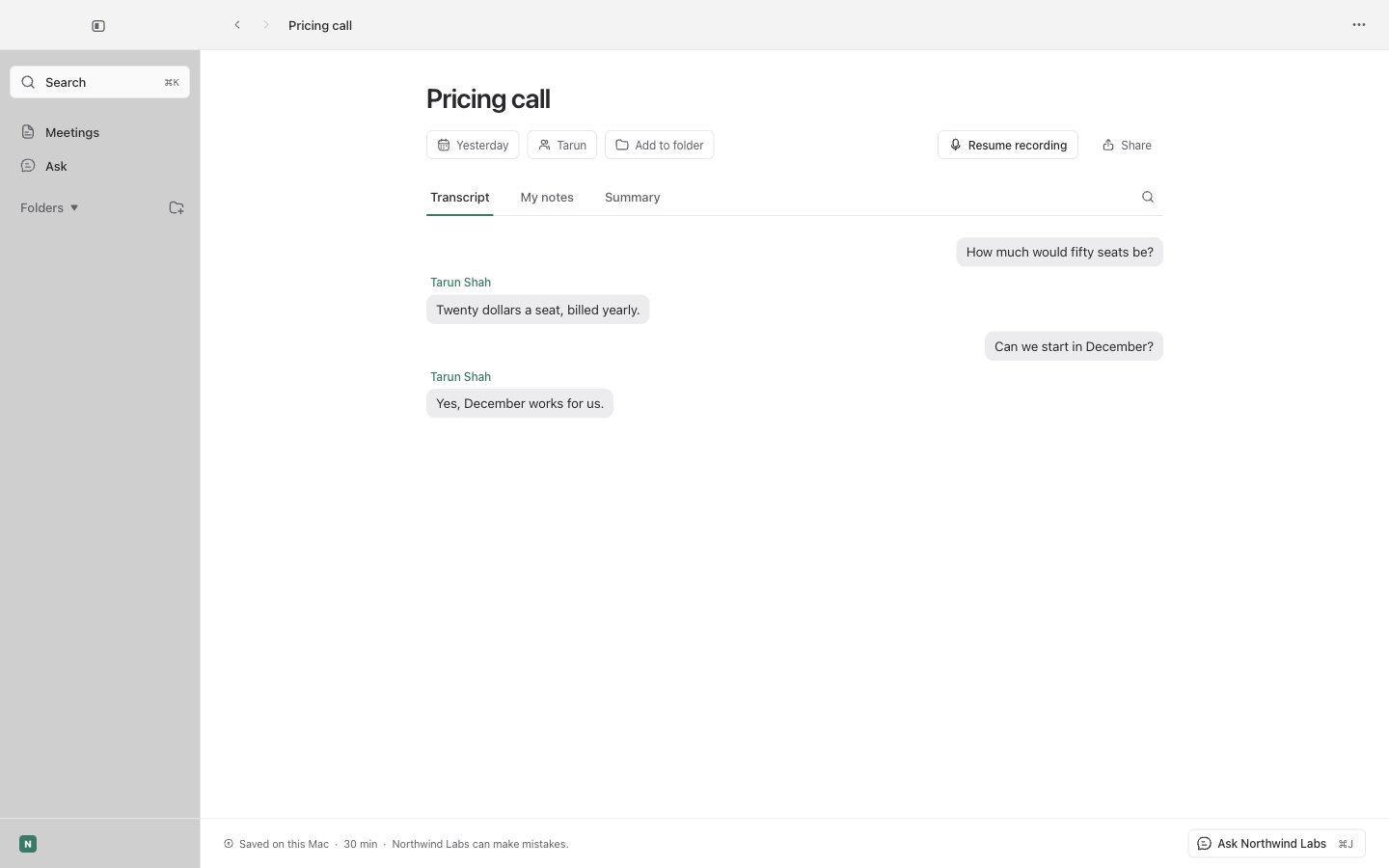
Who said what
The whole call as text, split by speaker. Search it later instead of trying to remember.
- Names speakers from Zoom, Teams and Meet
- Search inside the transcript
- 99 languages
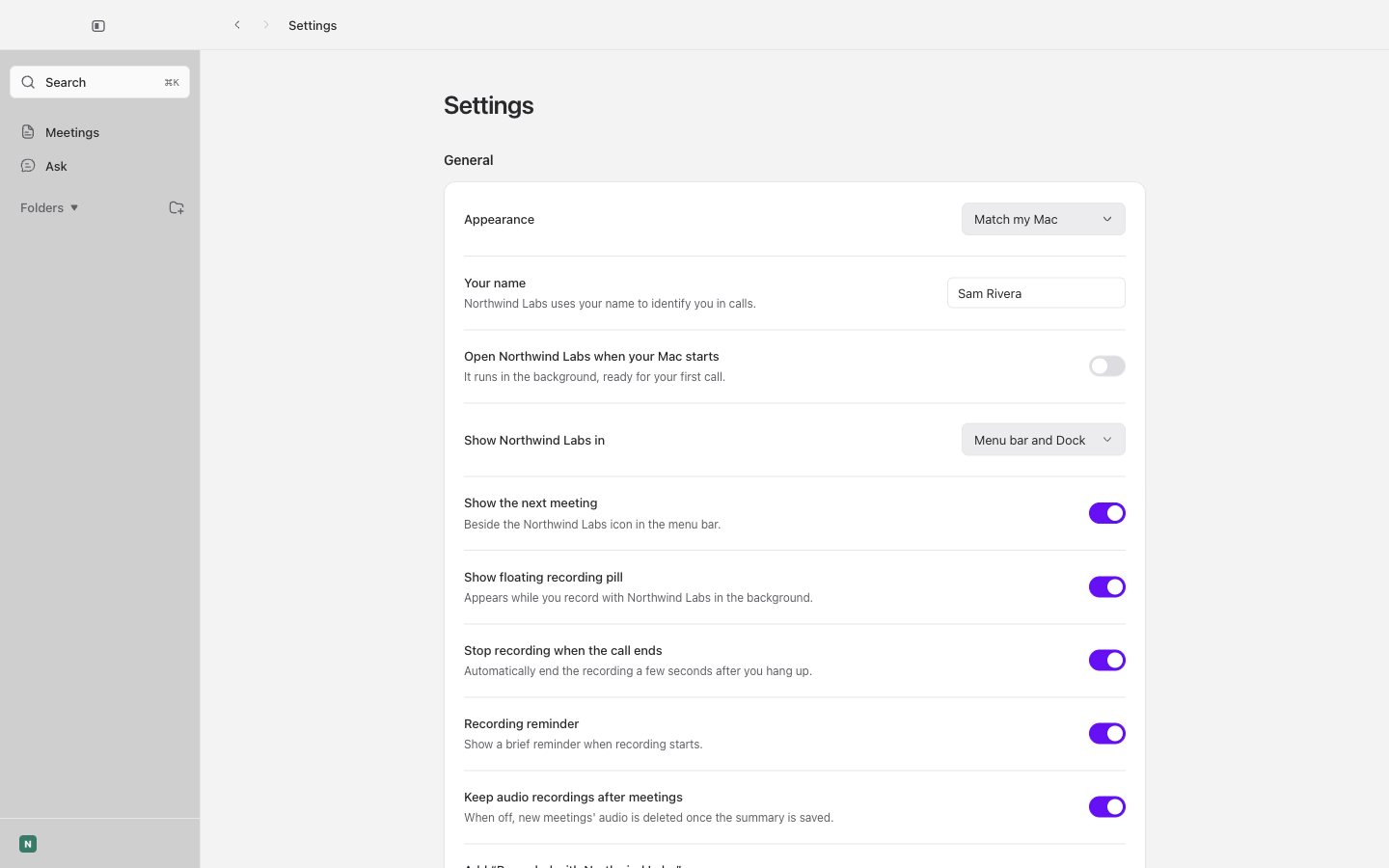
Your rules
Start it with your computer, show the next meeting in the menu bar, stop recording when the call ends, and choose whether audio is kept.
- Keep audio or delete it
- Stop when the call ends
- Menu bar and Dock
Real screens of Offline Meeting Notes. Northwind Labs is a sample brand. The meetings and people are made up.
Included
Everything you get
No bot
Records your computer's own sound.
Live transcript
Text appears as you talk.
Summaries
Decisions and next steps.
Who said what
Speaker names from Zoom, Teams, Meet.
Ask
Questions across all your meetings.
Folders
Sort meetings by client or project.
Search
Titles, notes and transcripts.
Calendar
Today's agenda beside your meetings.
99 languages
Follows each side in its own language.
Offline
Works after a one-time model download.
Export
Copy, or save as Markdown.
Your brand
Your name and logo on the app.
White label
Your name on it. Your price. Your clients.
Offline Meeting Notes comes with your brand name, logo and colour on every screen your clients see. You set the price and keep what they pay you.
- Your brand name, logo and colour
- Your own login page and address
- Runs on your own server
- Sell it at any price you like
Who it's for
Made for people who sell to small businesses
Lawyers and accountants
Client calls where audio can't go to a cloud service.
Clinics and coaches
Notes from sessions that stay on the laptop.
Founders
Sales and hiring calls written up without a bot showing up.
Agencies
Hand clients a notes app with your name on it.
Pricing
Free to use. No catch.
What it normally costs. Price from their own page, November 2026.
GranolaOtterFirefliesMake an account with your email and use it. No card. Want help selling it? Skool members ($29/month) get the community, lessons and Yar's help.
Get your free copyJoin the Skool groupTrust
Open source underneath. Your laptop, your notes.
Offline Meeting Notes is built on Yogurt, an open-source meeting notes app (MIT licence). Your copy runs on your own laptop with your own name on it, so your calls never pass through us or anyone else.
How we look after your data- Runs on your own laptop
- Your name and logo on it
- Nothing joins the call
- Open source: read every line
A note from Yar
I run Build AI Business with Claude on Skool. Good software is often charged per person, every month. Offline Meeting Notes is a white-label copy of an open-source app: you run it on your own server with your own name on it, use it, and sell it to clients, for the one membership price.
If something's broken or missing, message me on Skool and I'll look at it.
Questions
Good to know
Something else? Message Yar on Skool.
Who can log in?
Anyone. Make a free account with your email and a password. In our paid Claude or AI video group on Skool? Pick “Skool member” and use your Skool email.
Is one login enough?
Yes. The same email and password work on every one of our products.
Where does it run?
On your own laptop (Mac with Apple silicon, Windows 10 or 11, or Linux, 8 GB of memory or more). Sign up free here to get the code, then build the installer with your name on it. Claude Code can do it for you.
Does anything join my call?
No. It records your microphone and your computer's sound, so nobody sees a bot in the meeting.
Is anything uploaded?
No. Audio, transcripts and notes stay on the laptop, and the AI runs there too.
Do I need to tell people I'm recording?
Follow the rules where you and they are. In many places you need their consent. Ask at the start of the call.
What does it cost to run?
Nothing. Your account is free. There's no AI bill because the models run on your laptop.
Can I sell this to clients?
Yes. It's made for that.
Great notes. No bot in the room.
Offline Meeting Notes listens on your laptop and writes it up after the call. Nothing joins. Nothing leaves.